Resources
Explore other resources offered through the ASC to support your academic journey. Resources include, a lending library, student printer, and more!
Please Note: The ASC has temporarily moved to building N, room N-250. While our location has changed, our tutoring services remain the same! Stop by to learn more about tutoring opportunities and the support we offer in N-250.

Explore other resources offered through the ASC to support your academic journey. Resources include, a lending library, student printer, and more!

Not sure how to meet with a tutor? This quick guide shows you the 4 easy steps to find and meet with a tutor at the Academic Success Center.
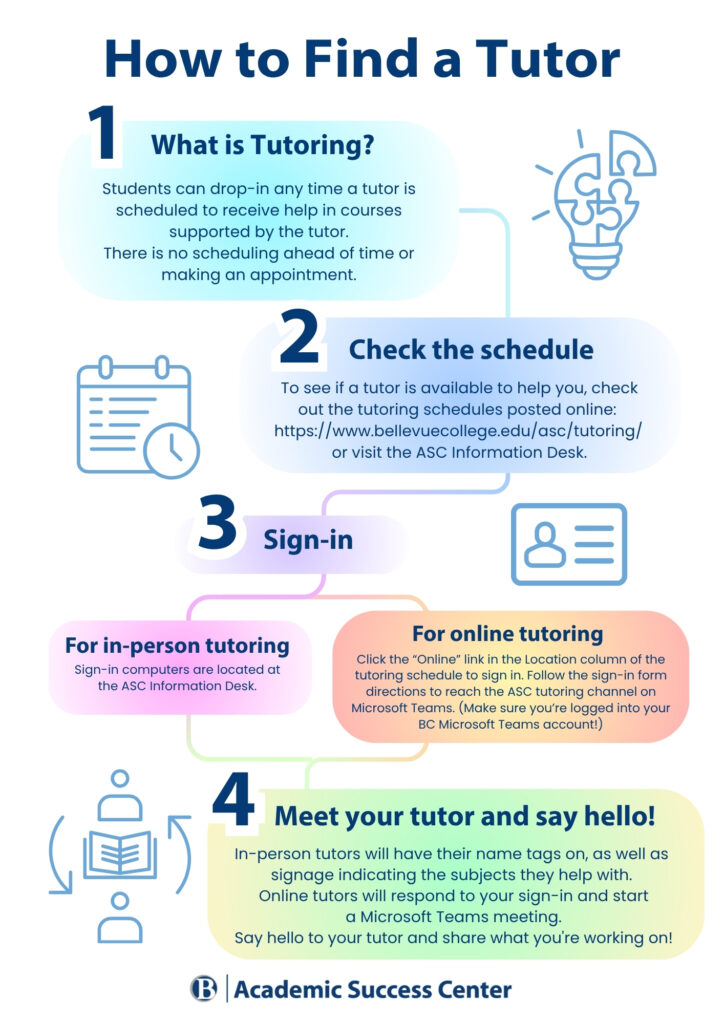
Step 1: What is Tutoring? Students can drop-in any time a tutor is scheduled to receive help in courses supported by the tutor. There is no scheduling ahead of time or making an appointment.
Step 2: Check the schedule. To see if a tutor is available to help you, check out the tutoring schedules posted online: Tutoring – Academic Success Center or visit the ASC Information Desk.
Step 3: Sign-in.
Step 4: Meet your tutor and say hello! In-person tutors will have their name tags on, as well as signage indicating the subjects they help with. Online tutors will respond to your sign-in and start a Microsoft Teams meeting. Say hello to your tutor and share what you’re working on!
ASC Lending Library: The ASC has a lending library where students can check out textbooks, calculators, headphones, and more! Stop by the ASC front desk in D204 for more information.
Printing: A wireless, student printer is available for use in the ASC’s main room and connects to students’ printzone accounts.
Linked-in Learning: Linked-in Learning – previously Lynda.com – is a training and professional development platform featuring an enormous amount of helpful training resources taught by industry professionals. This resource is freely available to anyone with an active BC email address. To start learning now, click the link above and the page will open in a new tab. Click the ‘Sign in’ button, located in the upper righthand portion of the page, and enter your Bellevue College email address and password.
Study Skills :: TRiO (bellevuecollege.edu)