Equatio


Equatio is an advanced equation editor that can be used to make math and chemistry content digitally accessible. Bellevue College now has the institutional license for this tool and faculty can use this tool to easily create equations, formulas, graphs, and more using voice, handwriting, or typing—no complex coding required. Equatio integrates with platforms like Canvas, Word, and Google Docs, making it simple to embed accessible math and chem content directly into your course materials. Whether you’re designing for online, hybrid, or in-person learning, Equatio supports inclusive teaching by ensuring all students can engage with math and science content in a digital format.


Bellevue College has purchased the institutional license for Equatio. The licenses are valid till August 25, 2026. To enable and use the Equatio license, download and enable the Equatio app from your desktop or get the Chrome extension.

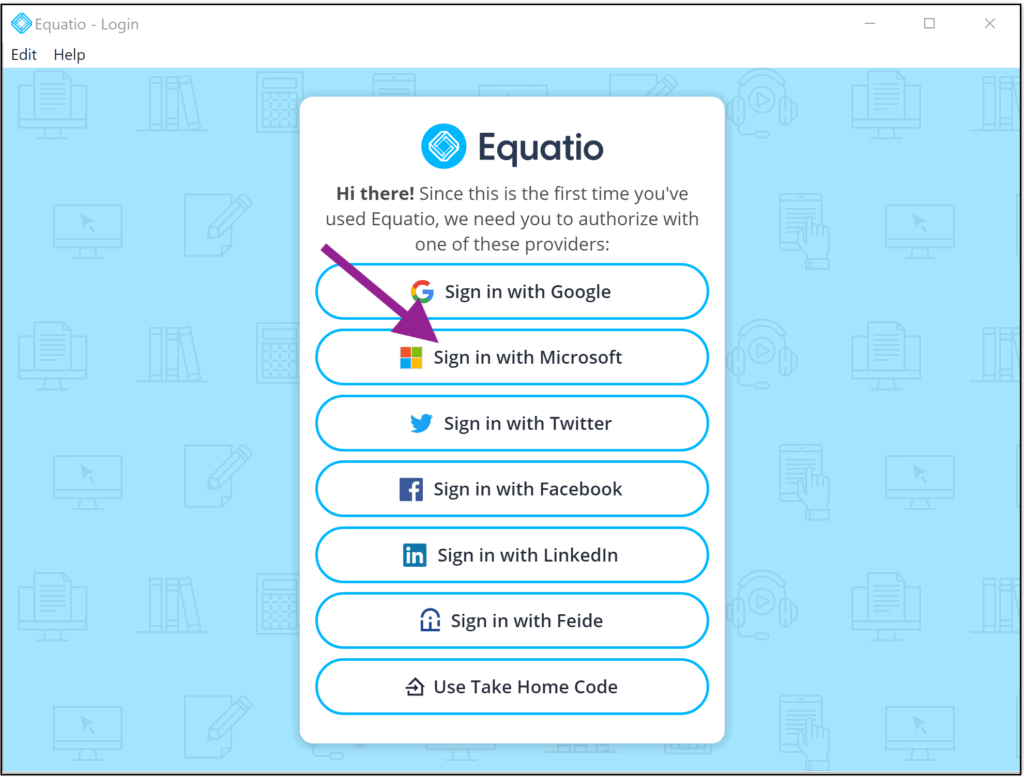
Equatio login window, options for Google, Microsoft, Twitter, Facebook, LinkedIn, Feide, and Take Home Code. A purple arrow points at sign in with Microsoft.

After adding the Equatio Chrome Extension:  

  1. Pin the Equatio Extension to your task bar by selecting the Extensions Icon from your Taskbar at top right corner of the address bar and select the pushpin icon.  
  1. The Equatio Extension icon will now appear on your Chrome browser task bar. 
  1.  When you select the Equatio extension for the first time you will be prompted to sign in. From the Equatio Sign in window, select Sign in with Microsoft and use your Bellevue College log in and password.  
  2. For added privacy, go to your Chrome Extensions > Manage Extensions > Equatio > Details and below Site Access “Allow this extension to read and change all your data on websites you visit” select “On Click” 

Download and install the Equatio desktop app. After installing the Equatio Desktop app, launch the app, and you will be directed to the Equatio Sign-in page. Select Sign in with Microsoft and use your Bellevue College login and password to use the licensed version of Equatio.

What Can You Do With It?

Faculty and students can easily build digitally accessible math and STEM content using the Equatio tool bar without needing LaTeX or MathML expertise. Here are a few things that you can do with Equatio

Create Math Equations

Easily build math equations using the Equatio’s visual editor without needing LaTeX expertise.

Convert Handwritten Math

Equatio can transform handwritten math (from touchscreen or stylus input) into digital, accessible equations.

Speak Math

Dictate math expressions using voice recognition, and Equatio converts speech to math notation.

Insert Graphs

Use the in-built Desmos calculator to generate and embed interactive graphs directly into word documents or Canvas pages.

Export and Share

Export or share math content in multiple formats (images, MathML, LaTeX) for reuse or collaboration.

Help and Resources

Learn more about Equatio and access resources for using Equatio to make equations accessible for your students.

Visit the Equatio Academy for more resources and training videos. 

icon of headset with microphone with a speech bubble in the middle

Need Assistance?

Just remember, if you need help, we’re here for you! Drop by Faculty Live Support (Zoom or in person) Monday–Friday from 11 AM to 3 PM, schedule a one-on-one accessibility coaching session, or email us anytime at elearning@bellevuecollege.edu.