Services
Whether you use Canvas on a limited basis or are completing an entire degree online, we can help.

Whether you use Canvas on a limited basis or are completing an entire degree online, we can help.
Because so many BC students engage in online learning in some form, we are here for you.
Do you need to know how to use online tools in your classes? Are you wondering what tools are typically used at Bellevue College? Would you like to learn more, or how to use more advanced features?
These are typical questions for online learners and we can help!
We offer three different trainings for using Canvas, BC’s learning management system, which is used in most classes here in some form. Each training is created for different users, and offered for different schedules. We also provide resources for success in your online learning journey.
You may also want to explore the other services and resources that are offered throughout the Connected Learning division.
This is an in-depth, hands-on, self-paced Canvas training with daily tasks, discussions, assignments, and a quiz online over four days. Online registration is required.

Your Canvas navigation refresher for existing or returning students lasting 60 minutes, providing useful tips and resources during a presentation-style session with Q&A at the end.
No need to register, drop in the first week of the quarter.

Your online Canvas Training drop-in. Zoom sessions offered after the first week, for most of the quarter, to ask your Canvas-related questions as they come up and gain some useful tips

Students have great things to say about our Canvas training! Do you prefer a hands-on workshop, or drop-in style when you have a question? We offer different formats and schedules to suit your needs.
Whether it’s working with your professor and classmates online, setting up meetings, incorporating AI into your studies, or exploring books, we’ve got tools to help you succeed.
We have compiled a number of resources to help you in your online classes. Explore our blog, tips, and other resources.

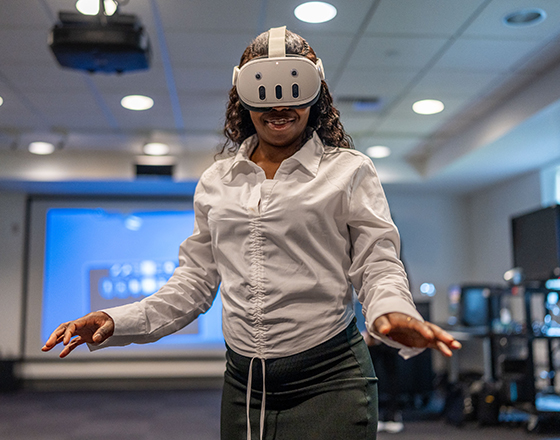
BC’s XR Lab offers virtual reality display devices, educational software, an open-source networked video conference classroom space, and VR-equipped demonstration suites and workrooms.
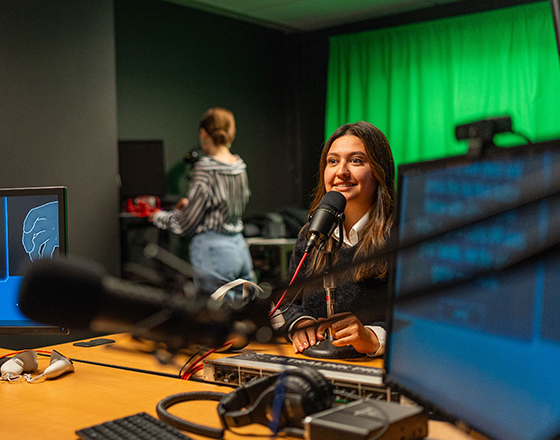
Studio Q can be used for recording presentations. Several video cameras are available for video podcasts.
Studio Q can be used by students with faculty permission.

The library is open to students, faculty, and staff of Bellevue College, UWB @ BC Students, and EWU @ BC students. There are PC and Mac computers with printing capabilities, and a Wi-Fi network that allows for printing from personal devices. There are designated areas for collaborative work, quiet work, and silent work, as well as private study rooms available by reservation.

We’ve compiled answers to the questions that students most frequently ask us.
Do you have questions about how we can help you with your classes?
Interactive eLearning Director
Interactive eLearning