Resources
We are committed to supporting your academic journey every step of the way, whether you’re learning online, in a hybrid format, or on campus.

We are committed to supporting your academic journey every step of the way, whether you’re learning online, in a hybrid format, or on campus.
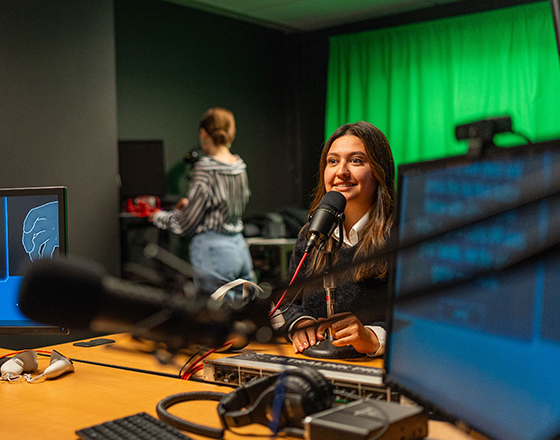
We want to empower your learning and personal growth. No matter your path, you’re never alone; we’re here to help you succeed!
We’ve compiled a number of helpful resources that are available to Bellevue College students, as well as additional topics that can be found online to assist in your online learning success.
One of the services provided by Interactive eLearning is training in how to use Canvas in your classes. We offer training in different formats and schedules to suit your needs.
We also offer information about online learning tools that are often used at Bellevue College.
Tutoring in many subjects is available through BC’s Academic Success Center. If you can’t come on campus, an online tutoring platform allows tutors to work with you synchronously and asynchronously.
In addition to tutoring, the Academic Success Center offers a Reading Lab, Writing Lab, and Math Lab.
Tutorials are available to provide information on citing commonly used resources in APA and MLA styles.
The Online Writing Lab (OWL) at Purdue University offers free writing resources and instructional material for students.
Learn about Bellevue College’s Bookstore, including online textbooks.
Learn something new through self-paced training courses taught by industry experts. Log in with your Bellevue College email and credentials to enjoy this vast library of training material online.
The Disability Resource Center (DRC) provides academic accommodations to students with a barrier related to a disability or health condition. The DRC works directly with faculty to ensure accommodations are implemented in the classroom and provide some accommodations directly to the student. The DRC also provides education and training on disability, accommodations, and accessibility. They provide a wide variety of accommodation services for disabled students, and we work to educate the community and foster inclusiveness.
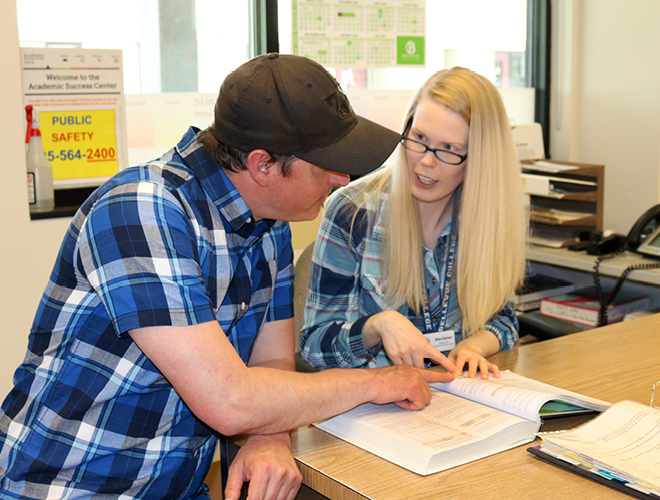
The Academic Success Center (ASC) provides free, high-quality tutoring and learning services for all students enrolled at Bellevue College. The mission of the ASC is to help students succeed academically and empower them to become independent, life-long learners.
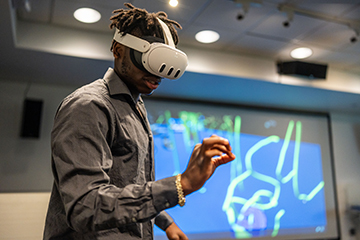
BC’s XR Lab offers virtual reality display devices, educational software, an open-source networked video conference classroom space, and VR-equipped demonstration suites and workrooms.
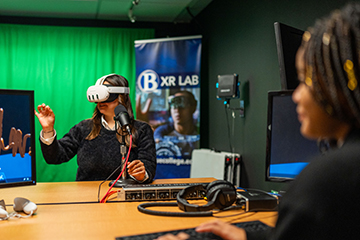
Studio Q can be used for recording presentations. Several video cameras are available for video podcasts.
Studio Q can be used by students with faculty permission.

Information Technology Services (ITS) offers resources that include information about accounts and passwords, computer labs, and more.
Checking your BC email is important! We have resources to help you set up your email and connect it to your mobile device.
Bellevue College policies and procedures provide a context for action and thoughtful decision making.
BC’s policy on academic dishonesty covers cheating, stealing, and plagiarism, which are violations of our Student Code of Conduct. Violations could result in a failing grade for a particular assignment, a failing grade for the course, or dismissal from Bellevue College.
The Disability Resource Center (DRC) fosters transformational change to present disability as a valued part of life and provides accommodation services for students with documented disabilities.
BC’s Counseling Center can assist you with a wide variety of personal life challenges or any other concerns that may be impacting your academic performance.
Learn about the many options for assistance in paying tuition at BC. Get answers from Student Central about BC’s departments and services. Online Student Services provides useful links and information about popular resources like enrollment, records and grades, student accounts, and more.
Your Net ID account can log in to your email, campus computers, MyBC portal, online classes, and more.
If you buy your books online, place your order in advance, so your books arrive before the beginning of the quarter.
At Bellevue College, we use Canvas, a Learning Management System (LMS), to deliver online and hybrid classes. Students are expected to know how to use Canvas; your instructors will not be teaching you how to use Canvas.
If you buy a computer, select something reliable, and more importantly, ensure you have access to a fast internet connection. Slow computers and a poor internet connection can significantly increase the time it takes for you to access and complete the requirements for your online course.
BC’s Information Technology Services (ITS) department is here to support you if you struggle with a technical issue.
Canvas training supports your success in an online or hybrid course. It is offered in three formats and for different schedules:
Student Central is a one-stop hub for departments that include Enrollment Services, Financial Aid, Evaluations & Graduation, and Placement and Testing Services.
This resource is updated frequently with tips, stories, news, and more.
There are many ways to prepare for success. For online learners, there are some skills and traits that you may want to develop, to help you on your online journey.
We encourage personal connections and exploration, as they can help to create confident world citizens. Explore student organizations, find events and activities, and learn about leadership training.
The Center For Career Connections provides comprehensive career resources for all stages of your academic and professional career. Career planning can help you match majors to occupations.
Online course evaluations are a quick way to give feedback on your online courses. Evaluations make a difference in helping deans, chairs and faculty enhance course content.
We can help.
Interactive eLearning Director
Interactive eLearning